That’s the job of an excel recipe inventory template. The structure below is the version we’d build first if a kitchen called us tomorrow and needed something working by next Tuesday.
TL;DR Quick Answers
excel recipe inventory template
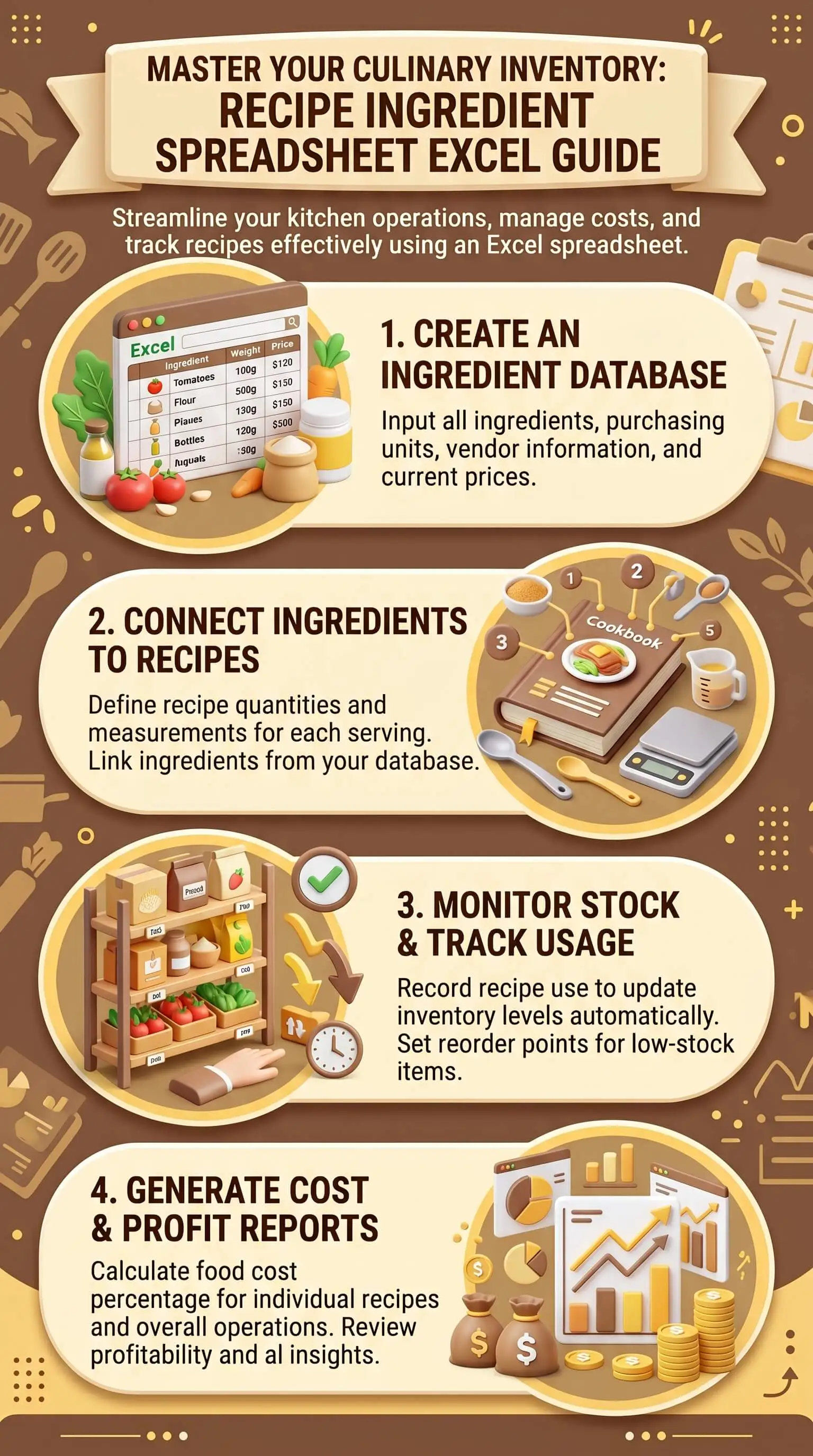
An Excel recipe inventory template is a connected Excel workbook that tracks every ingredient, recipe cost, and stock level in one place, so cost per serving updates automatically when supplier prices change.
What a working template tracks:
Ingredient name, supplier, purchase unit, and purchase cost
Conversion factor from purchase unit to recipe unit
Cost per recipe unit (calculated, not typed in)
PAR level and current stock on hand
Reorder flag for items below PAR
Recipe ingredient lists with quantities and cost-per-serving rollups
Three formulas that do the heavy lifting:
XLOOKUP (or VLOOKUP) pulls ingredient cost from the Master sheet into each recipe
SUMIF rolls up total ingredient usage across all recipes
IF/AND flags ingredients where stock has dropped below PAR
Why it beats single-purpose software for small kitchens:
No subscription fee, Microsoft Excel only
Data lives on your machine, not a vendor's server
Bends to your kitchen's workflow instead of forcing the kitchen to match someone else's mental model
Runs offline when the Wi-Fi drops mid-service
Top Takeaways
A few practical lessons worth pinning to the inside of the workbook:
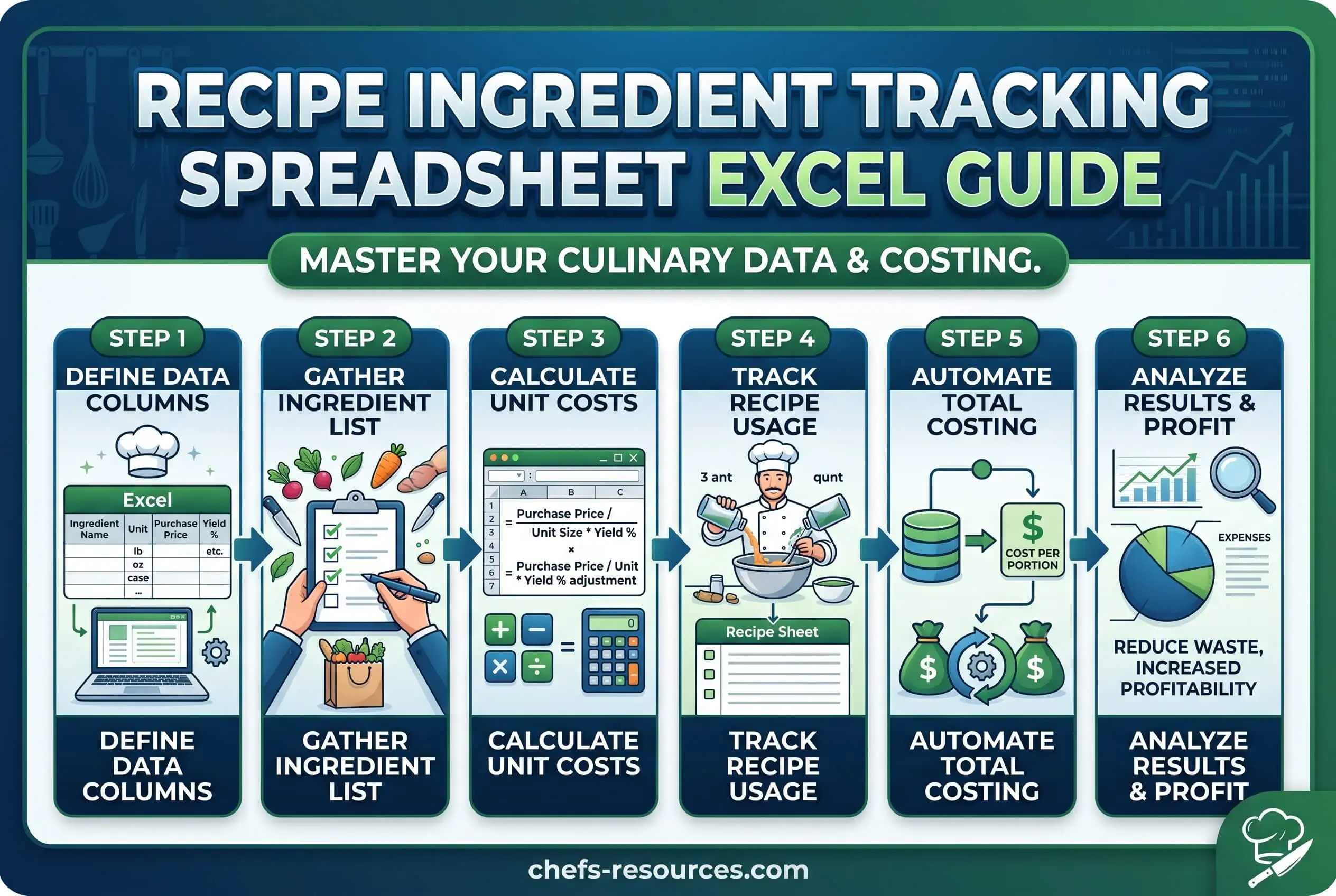
Start with column design before you touch a single formula. It’s the hardest part of building any recipe tracking system, and it decides whether the math you add next holds up.
Separate the Recipe Card sheet from the Ingredient Master sheet. Cramming both onto one tab is what makes most homemade workbooks collapse around recipe twelve.
Apply unit conversion at the row level on the Master sheet so no recipe ever has to do its own math. Convert once, reference everywhere.
Cost columns drive menu pricing, portion decisions, and which dishes earn their slot on the menu. Treat them as the strategic layer of the workbook.
Data validation drop-downs prevent the duplicate-entry mess that quietly breaks every homemade tracker by month two.
Building Your Excel Recipe Inventory Template Step by Step
Why Excel Still Beats Single-Purpose Apps for Small Kitchens
Restaurant tech stacks have multiplied, and most of those tools do something a spreadsheet can’t. For an operator running between five and forty active recipes, though, Excel keeps earning its place for a few reasons. There’s no subscription fee. The data lives on your machine instead of someone else’s server. And the workbook bends around how your kitchen actually works, rather than asking the kitchen to match a software vendor’s mental model. The whole thing also runs offline, which matters more than you’d think the first time a Wi-Fi outage hits halfway through prep.
The Four Sheets Every Excel Recipe Inventory Template Needs
Your excel recipe inventory template should run on four connected sheets, each with one job. The Ingredient Master sheet holds every ingredient you’ll ever purchase, with its cost and supplier data, and it becomes especially useful when dry spice yields help you track true usable weight after toasting, grinding, or sifting. The Recipe Card sheet stores each recipe’s ingredient list and quantities. The On-Hand Inventory sheet tracks current stock. And the Cost Summary sheet rolls everything up so you can see, at a glance, what each dish actually costs to plate. Keeping these four sheets separate is what makes the system scale. Trying to cram ingredient prices, recipe steps, and stock counts into the same tab is what makes most homemade workbooks collapse around recipe twelve.
Core Columns for the Ingredient Master Sheet
The Ingredient Master sheet is the foundation, and it needs nine columns:
Ingredient name
Supplier
Purchase unit (case, bag, gallon)
Purchase cost
Conversion factor (purchase unit to recipe unit)
Par level
Current stock
Reorder flag
The column most kitchens skip is conversion factor, and that’s also the one that breaks every cost calculation downstream. If you buy flour by the 50-pound bag and use it by the cup, the conversion factor tells the recipe how much each cup actually costs. Skip it and every per-serving cost figure on your menu is a guess.
Core Columns for the Recipe Card Sheet
Each recipe gets its own block on the Recipe Card sheet, with eight columns:
Recipe name
Yield (servings per batch)
Ingredient ID (matched to the Master sheet)
Quantity per batch
Unit
Ingredient cost (pulled in by formula)
Total ingredient cost
Cost per serving
The ingredient cost column is where a formula lives, not a typed-in number. Enter a cost once on the Master sheet, and it flows into every recipe that uses that ingredient. Raise a supplier price next month, and your cost per serving recalculates across every dish on its own. A connected workbook only has to be told once.
The Three Formulas That Do the Heaviest Lifting
Three formulas carry most of the load. XLOOKUP, or VLOOKUP if you’re working in an older Excel version, pulls the cost from the Ingredient Master into each recipe row when you enter an ingredient ID. SUMIF rolls up total ingredient usage across all recipes so you can compare projected demand against on-hand stock. A nested IF/AND formula then flags every ingredient where current stock has dropped below par level, turning the reorder column into a live shopping list.
If Excel formulas are still new ground for you, start with VLOOKUP and SUMIF. Those two cover most of what a small-kitchen workbook actually needs, and you can layer in the IF/AND reorder flag once the basics are stable.
Conditional Formatting and Data Validation That Earn Their Keep
Two Excel features turn a static workbook into something that responds to what’s actually happening in the kitchen. Conditional formatting highlights rows that need attention: par-stock breaches in red, recipes above your target cost in yellow, dormant ingredients in gray. The team learns to scan colors instead of reading every row.
Data validation handles the other quiet killer, which is duplicate entries. Build a drop-down list on the Recipe Card sheet that pulls from the Ingredient Master, and you’ll stop ending up with “Olive Oil,” “olive oil,” and “Olive oil, extra virgin” sitting in three separate rows costing three different amounts because three different invoices went in on three different days.
“The shift happens the morning a sous chef walks past the inventory board and trusts what it says. Before that, every count gets second-guessed and re-counted, and the spreadsheet is just decoration on the wall. Once the columns reflect reality, once the cost-per-serving number matches the actual ticket, the whole kitchen runs off the same numbers. That’s when the workbook earns its place in the rotation.”
7 Essential Resources
Bookmark these as you build the workbook. Each one fills a gap that the spreadsheet alone can’t.
Microsoft Excel XLOOKUP function. The official function reference from Microsoft. Read it once before wiring up the cost-pull formula and you’ll save yourself an hour of trial and error.
USDA FoodData Central. Free nutrient and composition data on thousands of foods, maintained by the USDA. Useful when a recipe sheet has to display nutrition information next to ingredient cost.
ReFED food waste research. Industry-grade data on where surplus food comes from and what reduces it. Worth a skim when you’re setting par levels and reorder thresholds.
Spice yield-to-cost workflows. Our companion guide on converting bulk spice purchases into per-recipe cost figures.
How dry spice yields affect menu pricing. The yield-loss factor that most recipe sheets ignore.
Portion planning for proteins. How to set par levels for ingredients that vary by trim weight and yield.
Kitchen brigade roles explained. Worth a read when you’re deciding who actually owns the workbook on the line.
3 Statistics
Numbers from credible industry sources that show why ingredient tracking moves the needle for a kitchen of any size.
Food and non-alcohol beverage costs ran a median of 32.4 percent of sales for limited-service restaurants in 2024, per the National Restaurant Association’s 2025 Restaurant Operations Data Abstract. On a five-thousand-dollar weekly food spend, a single percentage-point swing equals fifty dollars every week, every year.
U.S. food producers and businesses generated 21.5 million tons of surplus food annually, worth roughly $108 billion in lost revenue, per the 2025 ReFED U.S. Food Waste Report. Better ingredient tracking shows up in that report as one of the cheapest prevention moves a small operator can make.
Food-away-from-home spending hit 58.9 percent of total U.S. food expenditures in 2024, the highest share on record, per USDA Economic Research Service data. More dining out means more pressure on small operators to keep ingredient cost under tight control.
Final Thoughts and Opinion
Most kitchens don’t fail at recipe tracking because the spreadsheet is wrong. They fail because nobody updates it, or because the columns don’t reflect how the kitchen actually buys, preps, and plates. The fix is rarely a more elaborate template. The kitchens that actually keep their workbooks current run on smaller, cleaner sheets that take ten minutes a week to maintain.
Excel works beautifully for a solo operator or a small kitchen. Once you’re past forty recipes or three locations, dedicated foodservice software starts earning its monthly fee through better reporting, faster updates, and multi-user editing without the version-control mess. For the volume that most home cooks, caterers, and small kitchens actually run, though, a well-built excel recipe inventory template still beats anything you’d pay a subscription for. The structure we walked through above is what we’d build first if you asked us to start tomorrow.
Frequently Asked Questions
What columns should a recipe inventory template include in Excel?
An Ingredient Master sheet needs nine columns at minimum: ingredient name, supplier, purchase unit, purchase cost, conversion factor, cost per recipe unit, par level, current stock, and reorder flag. The Recipe Card sheet needs eight: recipe name, yield, ingredient ID, quantity per batch, unit, ingredient cost (pulled via formula), total ingredient cost, and cost per serving.
How do I track ingredient costs across multiple recipes in one workbook?
Use XLOOKUP, or VLOOKUP if you’re on an older Excel version, to pull the cost per recipe unit from the Ingredient Master sheet into each Recipe Card. Enter the cost once on the Master sheet, and it flows into every recipe automatically. Change one number there, and every cost-per-serving figure across the workbook recalculates on its own.
Can Excel handle unit conversions between recipe units and purchase units?
Yes, and handling conversions at the row level on the Ingredient Master sheet keeps the math clean. Add a conversion factor column that translates the purchase unit (case, bag, gallon) into the recipe unit (cup, teaspoon, ounce). The cost per recipe unit then calculates on its own, and every recipe that pulls from that row gets accurate cost data without any extra arithmetic.
How often should I update an Excel recipe inventory sheet?
Weekly for cost and supplier changes, daily for on-hand stock if you’re running active service. The whole point of the system is to keep the gap between what’s on paper and what’s actually in the walk-in small enough to act on before it costs you a service.
Is Excel still the right tool once I’m running more than ten recipes?
For ten to forty active recipes, Excel still does the job well. Beyond forty, or once you’re managing multiple locations and multi-user editing in real time, dedicated foodservice software starts paying for the subscription.
Where to Go Next
Build the workbook this week. Start with the Ingredient Master sheet, just the nine columns, no formulas yet. Once you’ve filled it in with the ingredients and supplier prices from this week’s invoices, including any organic farming sources you buy from, the rest of the system clicks into place faster than you’d think. Subscribe to the newsletter for more kitchen-operations guides delivered to your inbox.